
How to Delete Your TRAKERR Account
Follow these 6 simple steps to delete your account directly inside the TRAKERR mobile app on iOS or Android.
Instant Action
Processed immediatelyData Privacy
Personal info clearedUnder 1 Minute
Simple in-app workflowImportant Information Before Deleting
When you delete your account, you will be permanently signed out and will no longer be able to access your profile or make new bookings. In accordance with safety, regulatory, and financial compliance standards, past completed shipment transaction histories and tax invoices are retained in our database for accounting audit compliance.
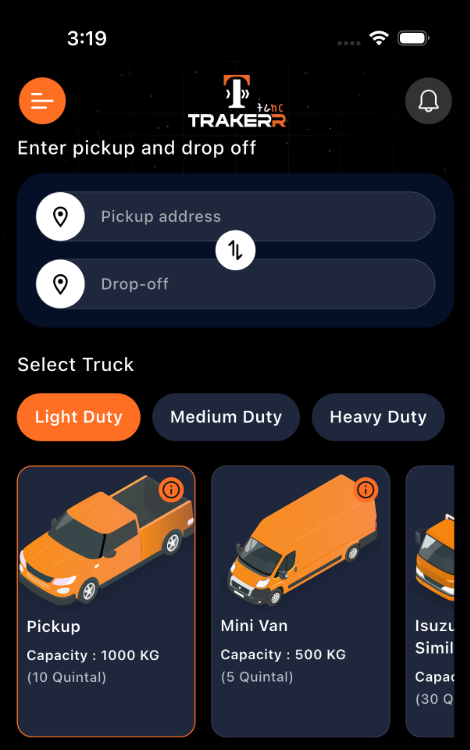
Go to Home Page
Open the TRAKERR application on your smartphone (Android or iOS). Make sure you are signed in to your account and on the primary Home screen where you see the booking pickup & truck selection options.
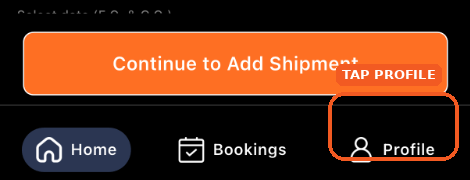
Tap on Profile Icon
Look at the bottom navigation bar at the very base of your screen. Tap on the Profile icon located at the bottom-right corner.
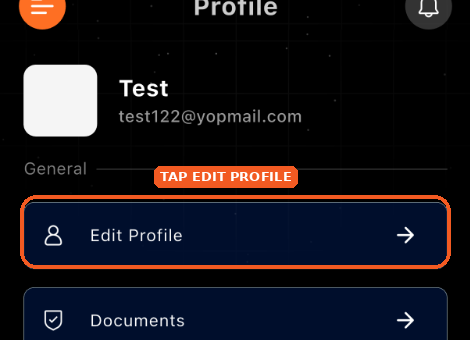
Tap on Edit Profile
On the Profile menu, tap the first option labeled Edit Profile (with the user avatar icon) to open your personal profile management screen.
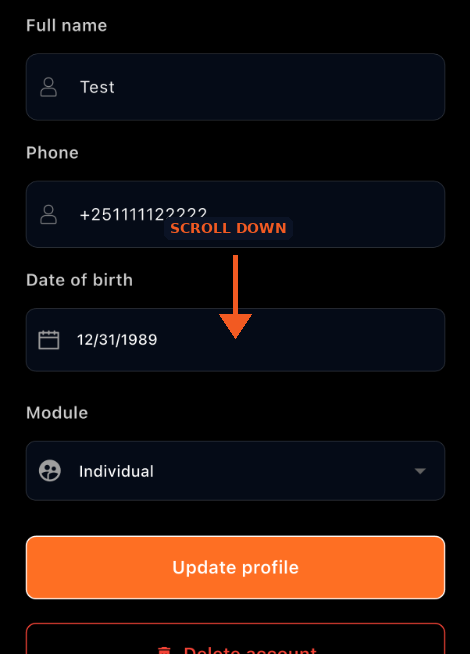
Scroll Down
On the Edit Profile screen, scroll down past your profile details (Full name, Phone number, Date of birth, and Module). The account deletion button is positioned at the very bottom of this screen.
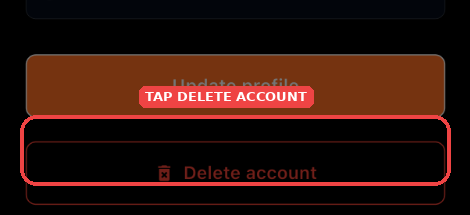
Tap on Delete Account
At the bottom of the page, tap on the red outline button labeled Delete account with the trash bin icon.
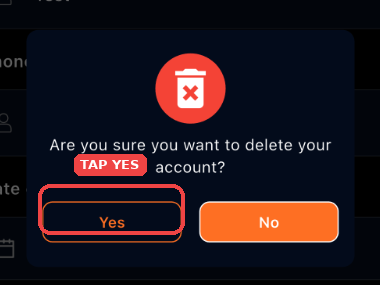
Tap 'Yes' on Confirmation Dialog
A confirmation modal will appear with the message: "Are you sure you want to delete your account?". Tap on the Yes button on the left to confirm.
Cannot Access Your App?
If you have uninstalled the application or cannot sign in to your mobile account, you can submit an account deletion request directly to our customer support team.